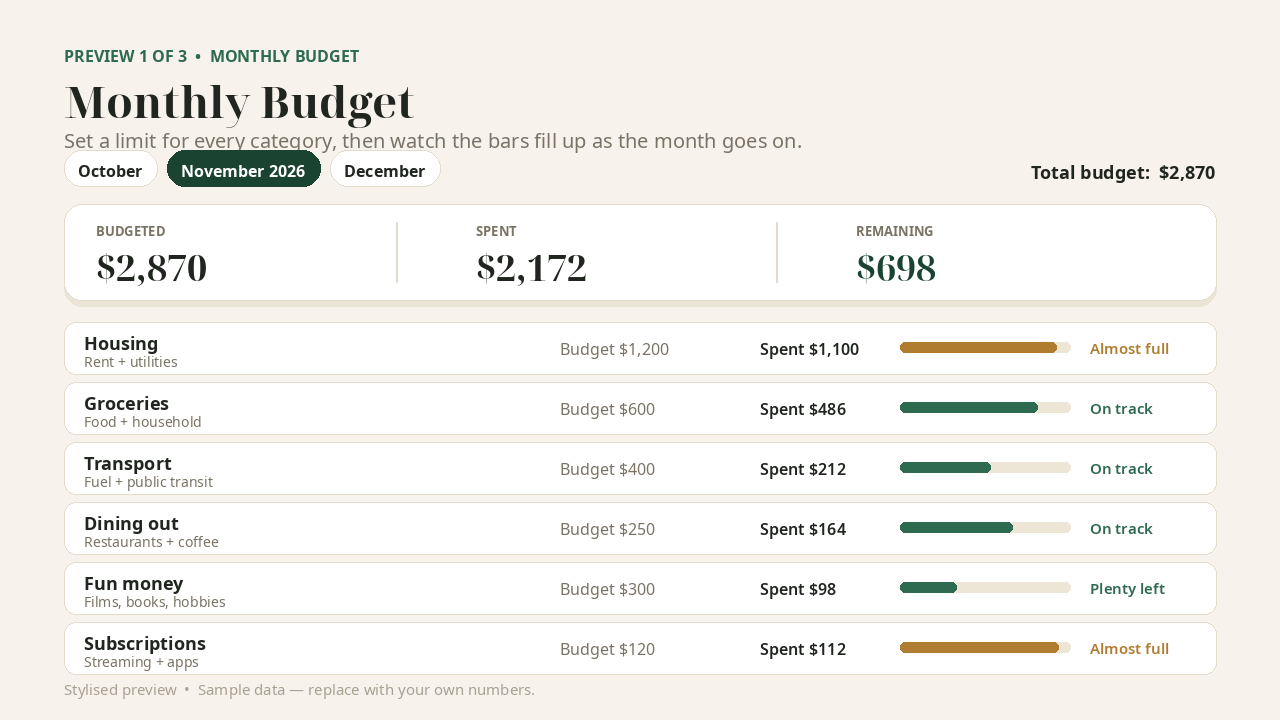
Monthly Budget
Plan each month’s income and spending by category, and see what is left before the month runs away from you.
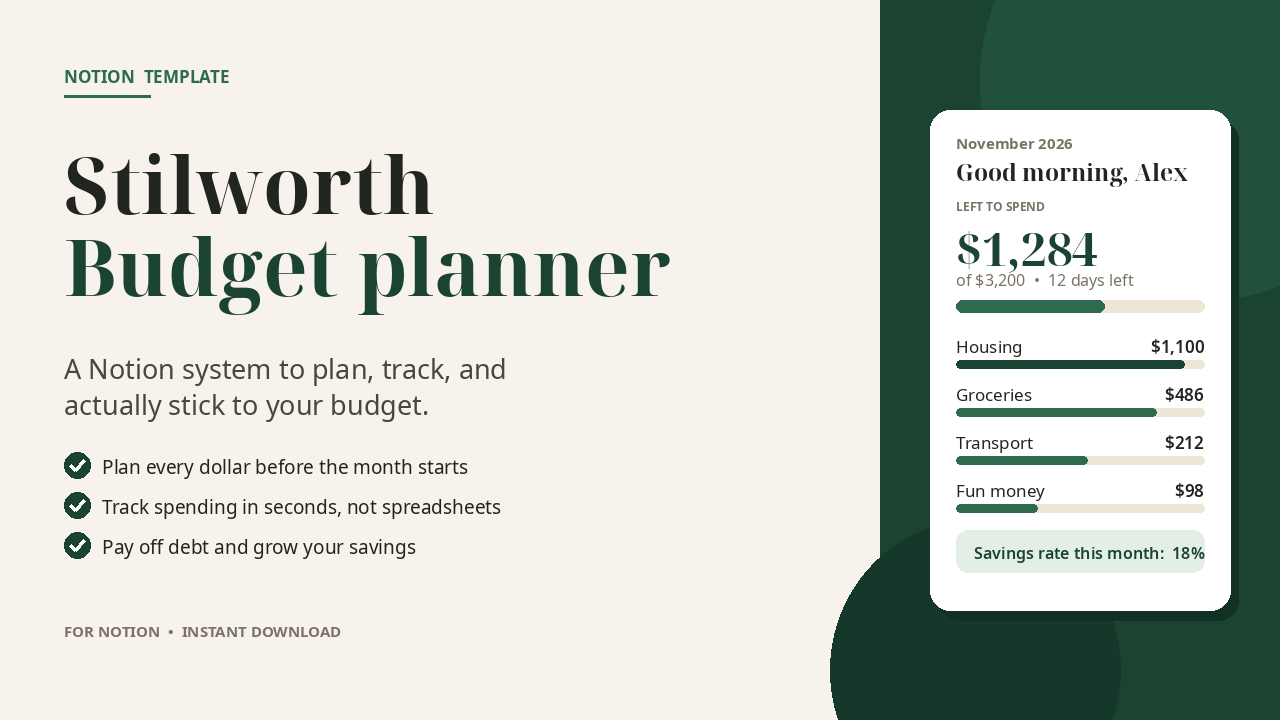
Stilworth · Notion Budget Planner
A simple Notion page that shows you where your money goes and helps you pay off debt and save, a few minutes a day.
One-time payment. Works in Notion, and a free Notion account is enough.
For people in their 20s and 30s who tried spreadsheets, budgeting apps, and free templates — and quit them all.
Most people who buy this page have already tried the other options. The pattern is usually the same.
Four simple databases and a dashboard. Nothing else to open, nothing else to keep up with. The other $29 finance templates skip debt payoff. This one starts there.
Plan each month’s income and spending by category, and see what is left before the month runs away from you.
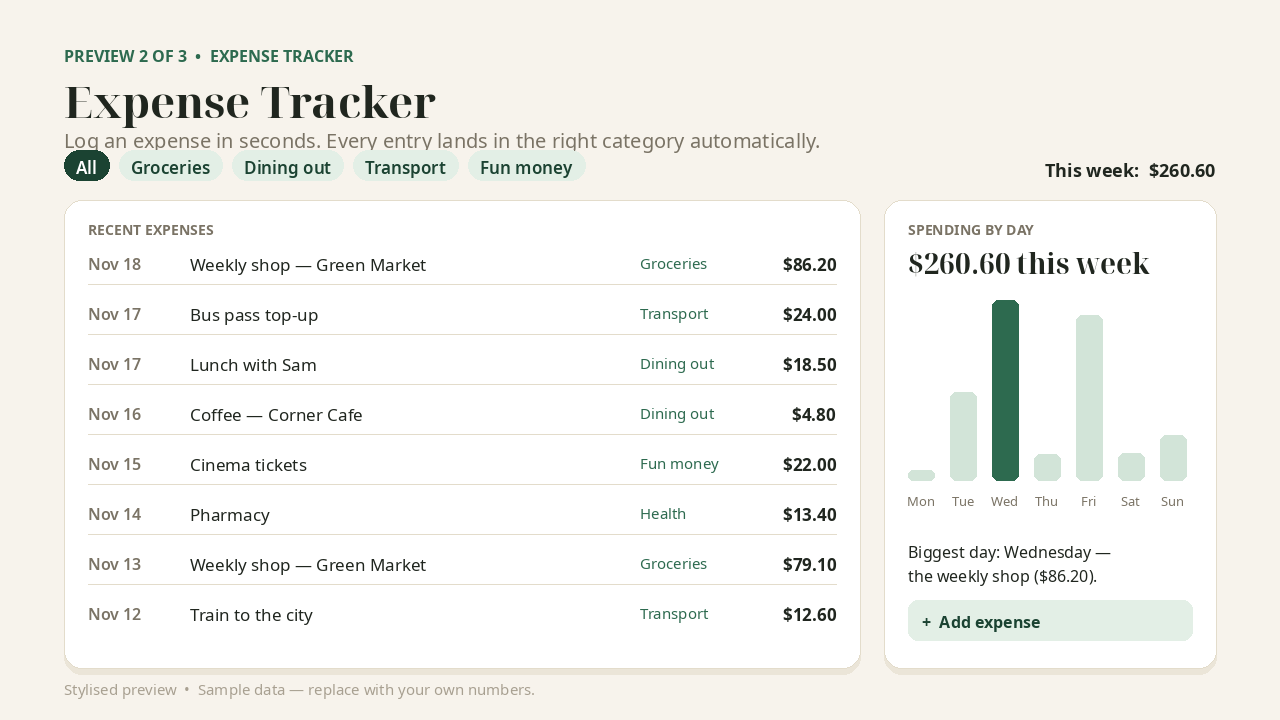
Log an expense in seconds as it happens, and watch spending by category so nothing slips through unnoticed.
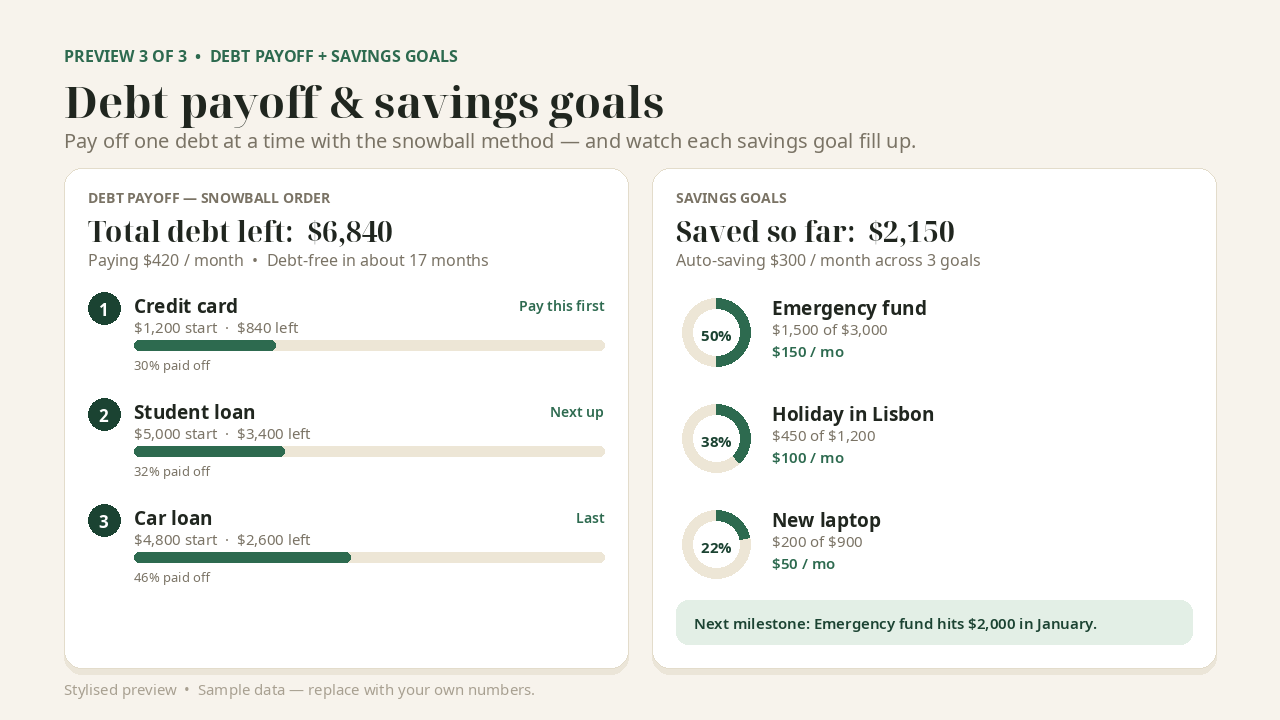
Pay debts smallest balance first, so you always know which one comes next. Set a savings goal and watch it grow beside the debt plan.
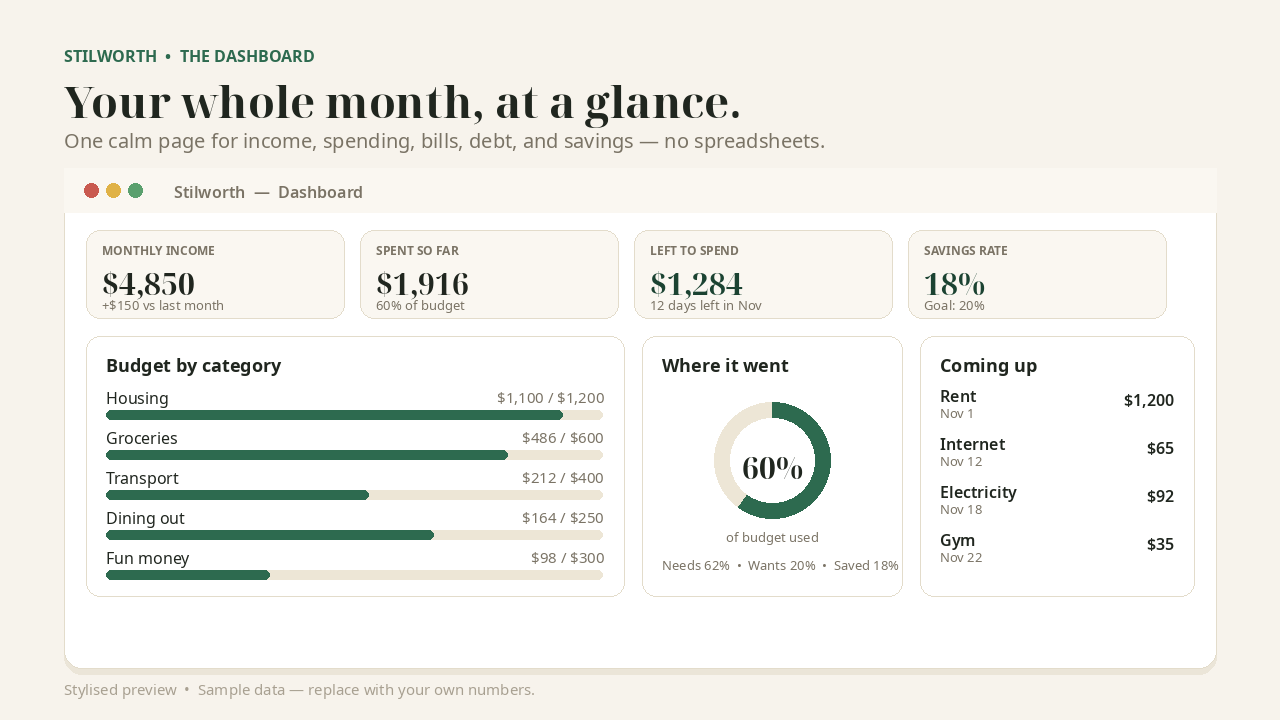
Your whole money picture on one page. This month’s budget, recent expenses, debt progress, and savings at a glance, so the question “where did it go?” has an answer.
Most templates fail because they ask for too much. This one asks for a short weekly check, about 15 minutes, and a dashboard that updates itself from what you already logged.
No Notion experience needed. Each step is one small action.
After purchase, Gumroad gives you a link to copy the template into your own Notion.
Put in what comes in each month and what goes out. The totals and Remaining update themselves from there.
One quick entry when you spend. That is the whole daily habit.
About 15 minutes. See where the money went, what is left, and which debt comes next.
Pay once. There is no subscription, and the template never charges you again.
$29
One-time payment
Best Value
$49
One-time payment — $20 more than the template alone
A budgeting app at $109 a year charges you that much every year. This one charges you once.
Not sure yet? Try the free starter first. It is the same monthly budget, free, and the full system is there when you want the debt and savings parts.
Do not want to fill it in yourself? We set up your copy with your real numbers and hand it back ready to use. One-time price. No calls, no hourly billing.
We set up your copy with your real numbers: accounts, debts in snowball order, savings goals, categories renamed to yours.
Ready-to-use copy, plus a 3-minute walkthrough video. 1 revision included.
Reskin and reshape the template: colors, cover, add or remove a section, adapt one database — shared household, freelancer income, student budget.
Short notes on what changed. 1 revision included.
The Freelancer Income Tracker configured for your clients, rates, and tax set-aside, linked to your Stilworth budget.
Walkthrough video included. 1 revision included.
Async, one-off, one revision included. After you submit, I email you a payment link and a start date.
The Monthly Budget Starter is the free sample from Stilworth. Try it, and buy the full system when you want the debt and savings parts.
A free $0 Notion template — no email required, instant download via Gumroad.
If your question is not here, the free sample is the fastest way to see how the template works.
Gumroad sends you a link to duplicate the template into your own Notion. It works with a free Notion account, and the template is yours to keep.
No. The template is built for beginners, and the four-step start above covers the whole setup. If you can fill in a table, you can use it.
No. Notion cannot sync with banks, and this template does not try to. You log expenses by hand, which takes a few seconds each time.
You could. What you are paying for is the structure, the formulas, and the payoff order already worked out, so you do not spend a weekend setting it up.
Free templates cover a monthly budget and not much else. The full system adds the debt payoff order, savings goals, and the dashboard. Try the free starter first and decide from there.
No. Those three live in the Complete Bundle for $49: Subscription Tracker, Bill Calendar, and Net Worth Tracker. Neither the template nor the bundle tracks investments.
No refunds (all digital product sales are final). Please try the free sample first if you are unsure whether the template fits how you work.
One calm page for your money. Try the free starter, or get the full system for $29.